






























HandpickFree · No ads · PrivateGet
Handpick

Photo organizer for iPhone & iPad

Get through your camera rolla group at a time.

Handpick gathers your trips, near-identical shots and likely junk into groups you can actually finish. You decide what stays.

Download on the App Store
  • Photos never leave your iPhone
  • Unlimited free swiping
  • Nothing deleted until you confirm

10,000 photos.10,000 decisions?

One photo at a time, a full camera roll is close to three hours of swiping at a swipe a second. That's why it so often stops halfway.

But most of those photos aren't separate decisions. They're one trip, one burst of takes, one pile of screenshots.

One by one10,000 swipes

In groups

  • A trip
  • Similar takes
  • Likely junk
  • The rest, swiped

It finds the groups.You make the calls.

  1. 1Trips

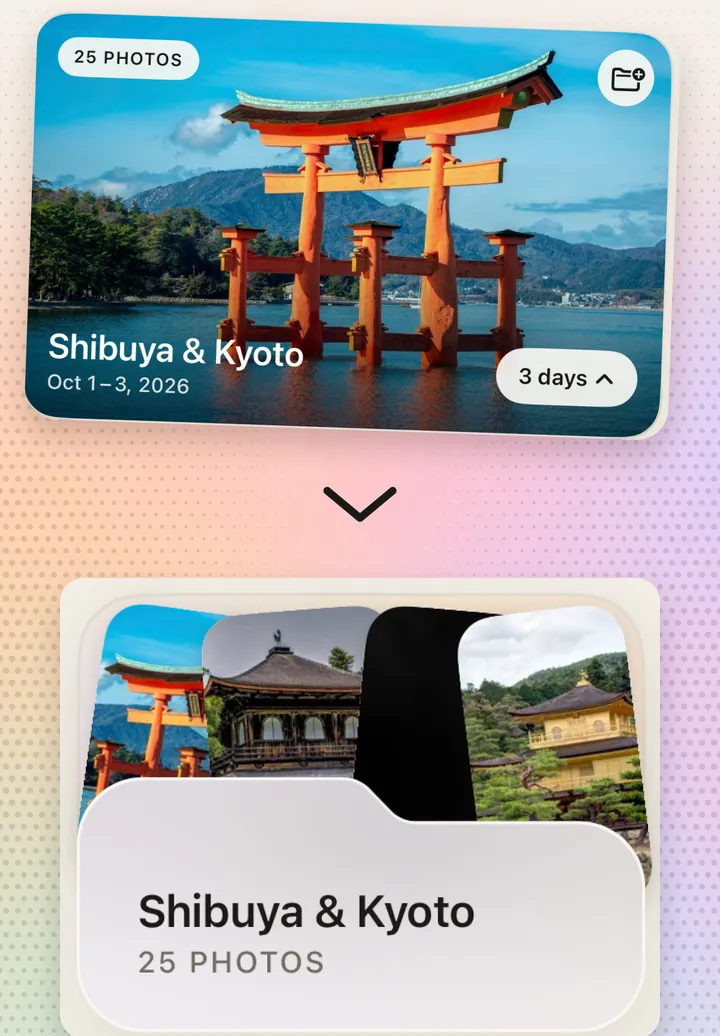
    Every trip, already gathered.

    Photos taken away from home are grouped by place and date. Review a trip as one set, then save it as an album, already named.

  2. 2Similar & Duplicates

    Five takes? Keep the best.

    Shots of the same moment sit side by side, with one put forward to keep. Keep First sends the others to Handpick’s Trash, not out of your library.

  3. 3Junk first

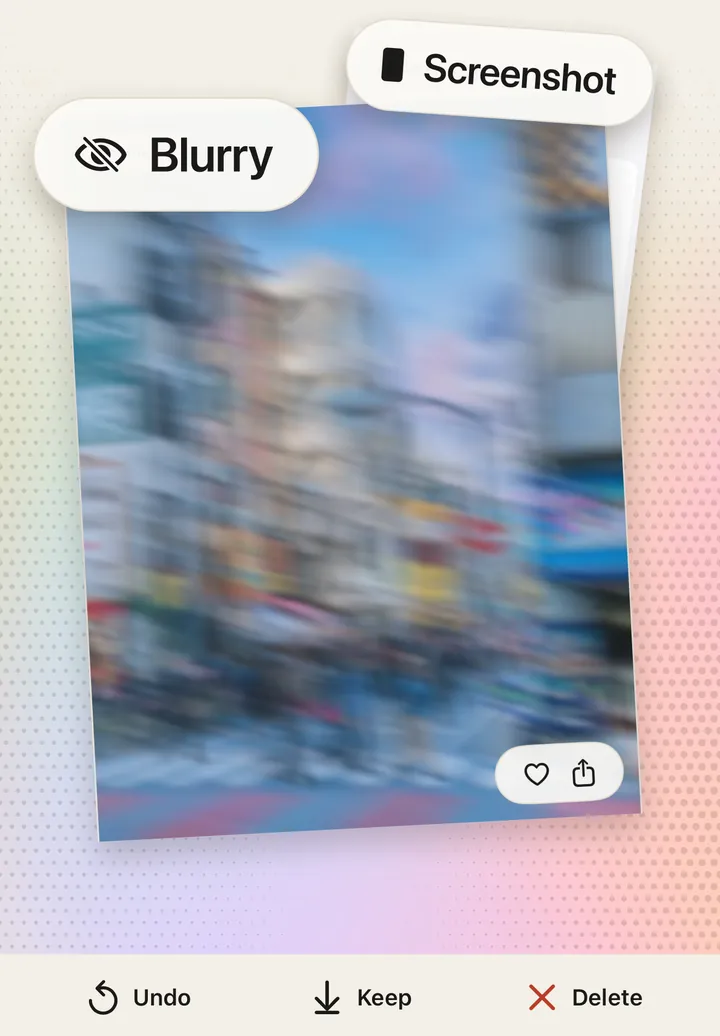
    The obvious misses, first.

    Screenshots, blurry and blank shots, QR codes and accidental clips come up first, each tagged with why. It can be wrong, so you still decide.

Trips, Similar, Duplicates and Junk first come with Handpick Plus. Each one has a free first try.

Privacy

Your photos neverleave your iPhone.

Finding trips, similar shots and junk means looking closely at every photo. Handpick does all of that on your iPhone. There is no Handpick server to upload to, so nobody else ever sees your library, including the developer.

  • Every photo is analyzed by your iPhone’s own chip, with Apple’s on-device frameworks
  • Works offline, even in Airplane Mode
  • Prefer to share less? Give it access to selected photos only
Photos uploaded
0
Handpick servers
0
Accounts, ads or trackers
0

The one thing that leaves: to name a trip, Handpick asks Apple’s map service for the place name of one location. Never a photo.

Read the privacy policy
App Store privacy labelData Not CollectedDeclared to Apple and shown on the App Store listing.

Then swipethrough the rest.

Everything else takes one swipe: down to keep, up to delete. Free, with no daily limit and no ads.

Kept
0
To Trash
0
KeepDelete

Try it: drag the photo, or use the buttons.

Nothing goesuntil you say so.

  1. 1

    Swipe up

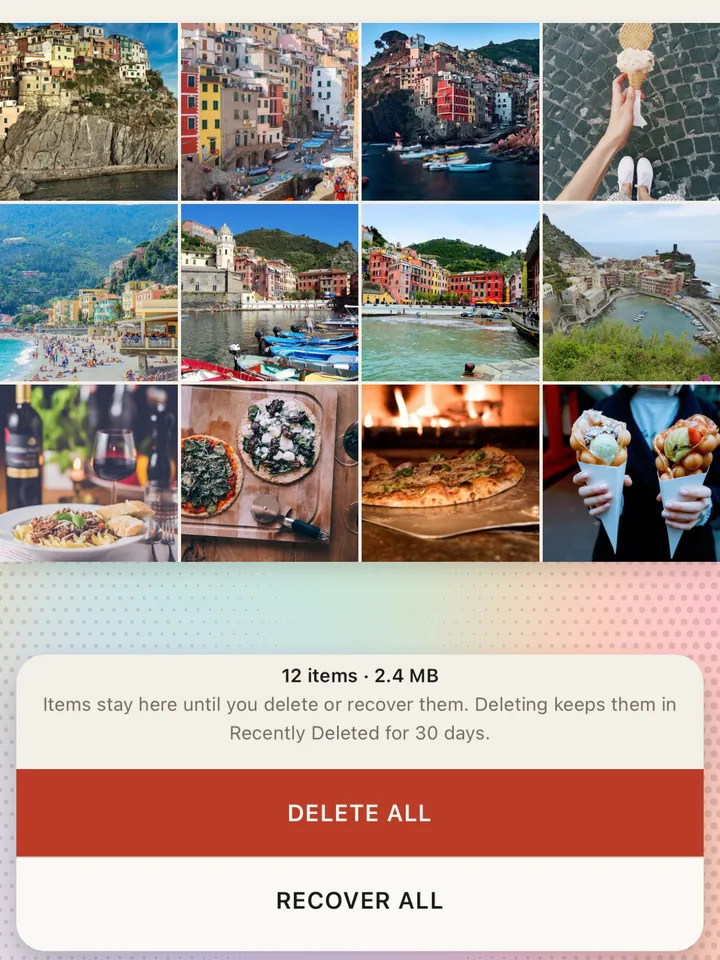
    The photo moves to Handpick’s Trash. It is still in your library.

  2. 2

    Change your mind

    Recover any photo from Trash, or all of them at once.

  3. 3

    Confirm in iOS

    Only when you tap Delete and confirm does a photo leave your library.

  4. 4

    30 more days

    Deleted photos wait in Recently Deleted in Photos for 30 days.

Sorting is free.Plus does the finding.

Free

Go through your whole library, your way.

Free

  • Unlimited swiping, no daily cap, no ads
  • Albums, favorites and Trash
  • Calendar and Home Screen widget
  • A free first try of every finder: your newest trip, a set of similar shots, a duplicate group, one video to compress

Plus

Let Handpick find it all.

  • Weekly

    $1.99

  • Annual

    $19.99

    7-day free trial

  • Lifetime

    $29.99

    Pay once

  • Every trip, memorable day and yearly occasion
  • Similar shots and duplicates, cleared in one pass
  • Junk first review order
  • Large Files and video compression
  • Every preference in Settings

US prices. The App Store shows the price in your currency before you pay. Cancel a subscription any time in your Apple Account settings.

Download on the App Store

Questions,answered.

More in Support
Does Handpick upload my photos?

No. Handpick finds trips, similar shots and junk on your iPhone itself. There is no Handpick server, no account and no analytics in the app, and its App Store privacy label reads Data Not Collected. The only thing that goes out is one location per trip, sent to Apple’s map service to get the place name.

Why does it need access to my photos?

To sort your photos and find groups, Handpick has to read them, and it does that on the device. You can choose Selected Photos instead of full access; Handpick then works with just those.

Will Handpick delete anything without asking?

No. Swiping up only moves a photo to Handpick’s Trash. Nothing leaves your library until you tap Delete and confirm in iOS, and deleted photos stay in Recently Deleted in Photos for 30 days.

What if Junk first gets one wrong?

It sometimes will, which is why every suggestion says why it was picked and you make the call. Keep a photo it suggested and it stays off the list for 30 days, or for good if you keep it again.

What’s free and what’s Plus?

Swiping, favorites, albums, Trash, the calendar and the widget are free, with no limits. Plus adds every trip and memorable day, Similar, Duplicates, Junk first, Large Files and video compression. Your newest trip, a set of similar shots, a duplicate group and one video compression are free to try.

How do I cancel or restore Plus?

To cancel, open Settings, tap your name, then Subscriptions → Handpick, at least 24 hours before it renews. To restore, tap Settings → Restore purchases in Handpick. Lifetime never renews.

What does it run on?

iPhone and iPad with iOS 18 or later.